
IPTV Smart Player & TV Online
Digital App'sEntertainment
0.00.00 Reviews
- Version
- 1.0.0
- Installs
- 100.00K
- Age Rating
- Everyone
Screenshots
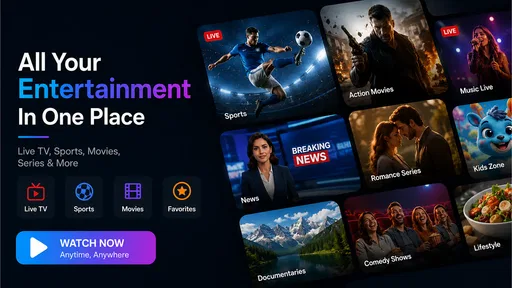
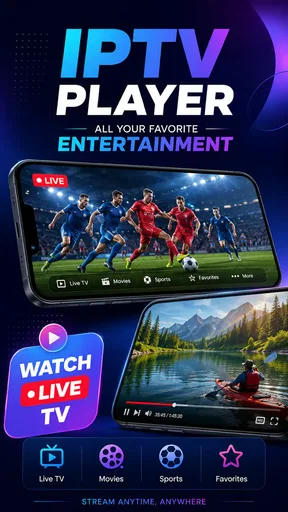
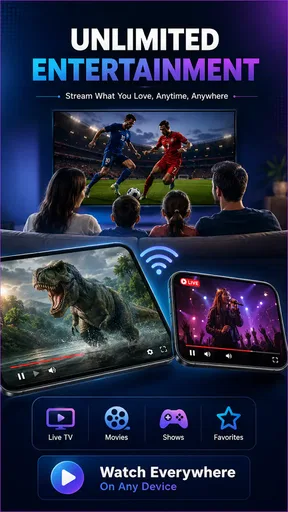
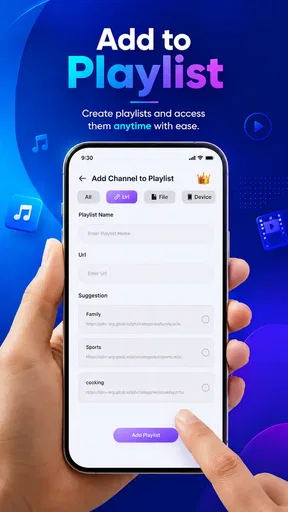
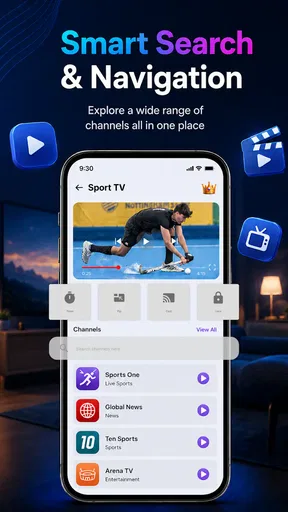
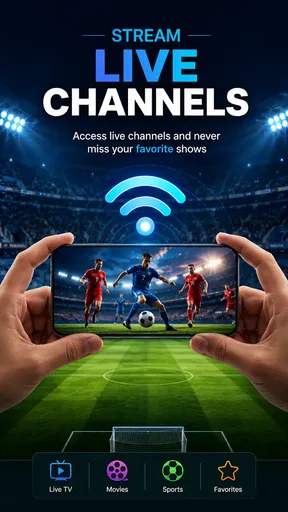
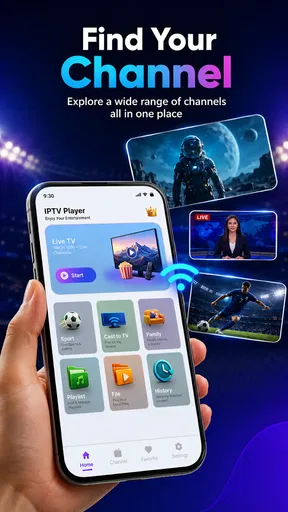
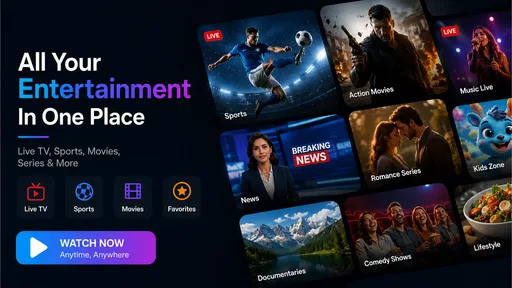
Our Review of IPTV Smart Player & TV Online
 Analysis by Appyee
IPTV Smart Player & TV Online is the kind of entertainment app I would keep in mind when I want one straightforward place to handle an IPTV playlist on a phone or tablet. It is free, aimed at everyone, and made by Digital App's. The basic idea is simple: use a player designed for live television streams instead of trying to manage them through a general video app. That focus makes it approachable, although it also means the quality of the experience depends heavily on the playlist and service you bring to it.
I tested it with a practical mindset rather than expecting it to replace every television service. The app presents itself as an IPTV player, not as a broadcaster that supplies channels by itself. That distinction matters before installing it. If you already have a legitimate IPTV playlist or access details from a provider, the app can serve as the viewing layer. If you are looking for an app that automatically includes live channels, this is not the right expectation.
How I use IPTV Smart Player & TV Online from the first launch
My preferred starting point is to prepare the playlist before spending time adjusting the player. I check that the source is current, that the login details are correct when a provider requires them, and that the service is allowed in my region. This small preparation step prevents a common mistake: blaming the player when the actual problem is an expired, incomplete, or badly formatted source.
Once the playlist is ready, I treat the app as a viewing tool rather than a content library. I look for the channels I actually use, test several streams, and pay attention to whether the issue follows one channel or affects everything. A single failing stream usually points toward the source. If the whole playlist behaves poorly, I first check the connection and credentials before changing anything else.
The workflow is especially sensible on a phone. I can open the app when I am away from a television, choose a live stream, and avoid installing a separate app for every channel group. That is useful for news, live events, or a familiar local station while travelling. It is less compelling if I only watch a couple of channels that already have excellent official mobile apps.
One habit makes the first session much more informative: I test the same channel on both Wi-Fi and mobile data, but I do so briefly and only when my data allowance permits it. If playback works on one connection and fails on the other, the player is unlikely to be the main cause. I also avoid judging the app from a single stream, because IPTV sources can vary widely in stability and format.
The app is free, which removes the financial barrier to trying it. Its listed age guidance is Everyone, so it is presented as suitable for a broad audience. Still, the content visible through an IPTV playlist depends on the source, not simply on the player’s age label. I would therefore treat the rating as a description of the application itself rather than a guarantee about every channel someone may add.
The small setup decisions that save time later
I recommend keeping the first playlist manageable. A huge collection may look useful, but it can make finding the channels I care about slower and make troubleshooting confusing. I prefer to begin with a source I understand, confirm that the important channels load, and only then add anything else. This creates a clear baseline that is much easier to diagnose.
Another useful practice is to note the exact point at which playback fails. Does the channel appear but never start? Does it start and stop? Does the picture load while sound is missing? These symptoms can have different causes, and recording them before repeatedly reopening the app avoids random trial and error. For me, this is one of the most practical ways to use a simple player intelligently.
The most important distinction is that IPTV Smart Player & TV Online organizes playback; it does not turn an unreliable source into a reliable one. That is not a criticism unique to this app, but it is essential to understanding what the installation can and cannot solve.
Settings I would check before settling into daily use
Because the current version is 1.0.0, I approach the app with a little patience. I do not assume that every device, playlist format, or stream behaves identically. I begin with the available playback and playlist options, keeping changes conservative. If a stream works at the default configuration, I leave it alone rather than adjusting several settings at once and losing track of what helped.
When a stream refuses to play, I use a controlled sequence. First I reload the playlist or reopen the channel. Next I verify the source outside the app only if I have a legitimate way to do so. Then I compare another channel from the same group. This is more effective than changing every setting immediately, because a player cannot repair a stream that is offline or restricted by its provider.
I also pay attention to how the app fits the device. On a smaller phone screen, landscape orientation can make live television easier to follow, while portrait mode is more convenient for quickly browsing. I use the orientation that matches the task instead of treating one layout as universally better. For a short news check, portrait is fine; for a longer programme, landscape feels more natural.
Audio deserves its own check. If video appears but the sound is silent, I confirm the device volume, mute state, Bluetooth output, and the stream itself before assuming the application is broken. This simple checklist is particularly useful when moving between headphones, a car connection, and the phone speaker. IPTV playback can expose routing problems that are not obvious at first glance.
For mobile data, I use the app selectively rather than leaving a live channel running in the background. A long stream can consume a noticeable portion of a data allowance, and the app’s free price does not make the network connection free. I usually reserve cellular viewing for short checks or situations where the programme matters more than conserving data.
On a shared device, I would also keep account and playlist details private. IPTV access information can be sensitive even when the player itself is free. I avoid sending credentials through casual messages and remove old sources when I no longer use them. That is a sensible habit for any playlist-based player and helps keep the setup tidy.
Repeatable shortcuts for quicker viewing
My fastest pattern is to decide what I am watching before opening the app. That sounds obvious, but it changes the experience: instead of wandering through a long list, I open the player with a specific channel or programme in mind, test the stream, and move on quickly if it is unavailable. This makes the app feel lighter and avoids confusing browsing with actual viewing.
I also group my own usage by purpose. For example, I may use one playlist for regular television and another for a temporary event, provided both sources are legitimate and supported by the service that supplied them. Keeping those purposes separate makes it easier to identify whether a problem belongs to the app, the network, or one particular source.
A practical everyday scenario is watching a live news channel while preparing breakfast. I open the player, select a known working stream, and keep the session short rather than leaving a random channel running. If the stream fails, I can quickly try another channel from the same source. This is where a dedicated IPTV player is more convenient than searching through several unrelated video apps.
For travel, I prepare before leaving home. I confirm that the playlist loads on Wi-Fi, check the channels I am most likely to need, and avoid assuming that a source available at home will behave identically elsewhere. A hotel network, public hotspot, or mobile connection may handle streaming differently. The preparation does not guarantee success, but it reduces surprises.
I would not use a complicated playlist as a test of the app’s speed or usability. Large sources can contain duplicate entries, unclear channel names, and groups that are hard to navigate. When possible, I use clear naming and remove entries I never watch. The benefit is not a hidden feature; it is a repeatable organization habit that makes the player easier to live with.
Another useful rule is to change one variable at a time. If I replace the playlist, switch networks, rotate the device, and alter playback options together, I cannot tell which action fixed the problem. A calm sequence is faster in the long run. This is especially relevant for a straightforward player, where troubleshooting depends more on isolating causes than on discovering a large collection of advanced controls.
Where the app is strong, and where expectations need adjusting
The main strength is focus. IPTV Smart Player & TV Online is built around live IPTV playback, so it makes sense for someone who already has a source and wants a dedicated place to use it. I like that the concept is easier to understand than a general media centre filled with unrelated functions. For a casual viewer, that narrower purpose can be an advantage.
Its free availability also makes it practical for testing a personal workflow before committing to a more elaborate television setup. I can see why someone with an Android device running at least version 7.0 would try it as a lightweight option. The app has reached over one hundred thousand installs, which suggests that this basic use case is familiar to a substantial audience, though popularity alone does not guarantee that every playlist will work well.
The trade-off is that a focused player may feel limited beside a full media platform. People who want a large on-demand catalogue, polished recommendations, built-in subscriptions, or a complete television guide may prefer an official streaming service or a more established media centre. Those alternatives often provide content and support as part of the same package. This app is better understood as the playback component in a setup the user already controls.
I would also skip it if I do not have a trustworthy IPTV source. Installing the player without one does not solve the content problem. Likewise, viewers who expect every channel to include a reliable programme guide, recording workflow, or sophisticated household profiles should compare those needs against the app’s focused purpose before making it their main television solution.
Another limitation is the uncertainty that comes with many different stream types. A player may handle one source smoothly and another poorly because the formats, authentication methods, or server conditions differ. I therefore judge it by repeated use with my own legitimate playlist rather than by a single failed channel. That is a fairer test and gives a more useful answer than treating all IPTV services as identical.
Questions I would answer before recommending it
Does it include channels automatically? I would not install it expecting that. The app is a player for IPTV material, so I would arrange a lawful playlist or provider account first. This is the most important point for a new user, because it determines whether the app has an immediate purpose on the device.
Can it replace an official broadcaster app? Sometimes, but not always. If I mainly watch one broadcaster and its official application offers dependable streams, programme information, and support, I would probably choose that direct option. I prefer this player when I need to handle several legitimate IPTV channels in one viewing workflow rather than remain inside one broadcaster’s ecosystem.
Will it work on an older Android device? The minimum operating system is Android 7.0, so I would check the phone or tablet before planning a setup. Meeting the operating-system requirement does not promise identical playback on every device, but it gives a clear starting point for compatibility.
Is it suitable for family use? The application itself is rated Everyone, and its simple player role can be easy to understand. I would still supervise the playlists added to a shared device, because the material available through a source can differ from the app’s own classification. Keeping separate personal and family playlists can also make navigation less confusing.
What should I do when a channel buffers? I would not immediately reinstall the app. I would test another channel, check the network, reload the source, and see whether the problem follows the channel or affects the entire playlist. If only one stream fails, the provider or source is the more likely issue. If everything fails after a network change, I would investigate connectivity and access details first.
My mastery verdict after building a routine
After using IPTV Smart Player & TV Online as a dedicated live-stream player, I see its value in the routine around it. The best experience comes from a clean, legitimate source, a short list of channels I actually watch, and a simple troubleshooting order. Those habits make the app more dependable in daily use than constantly changing settings or blaming the player for every interruption.
Digital App's has kept the concept accessible: it is a free entertainment app with a current version of 1.0.0 and support beginning at Android 7.0. I appreciate that someone can try it without paying first, especially when the goal is simply to bring an existing IPTV setup onto a mobile device. At the same time, I would keep expectations realistic about the difference between a player and a complete television service.
I recommend it to viewers who already have lawful IPTV access, want a focused mobile player, and are comfortable doing a little source-level troubleshooting. I would choose an official streaming app or a fuller media platform for someone who wants guaranteed programming, built-in content, or a highly polished living-room experience without managing playlists.
My final advice is to start small: use one dependable source, test the channels that matter, protect your access details, and change only one setting at a time. With that approach, IPTV Smart Player & TV Online becomes a practical everyday tool rather than an unnecessary maze of options. It is not a magic fix for weak streams, but for the right user, its focused design is exactly the reason to give it a try.
Verdict
Strengths of IPTV Smart Player & TV Online
- Supports multiple IPTV playlists and common streaming formats.
- Simple interface makes channel browsing quick and straightforward.
- Includes electronic program guide support when provided by the playlist.
- Works well on phones, tablets, and many Android TV devices.
- Playback settings help adjust aspect ratio, audio, and subtitle options.
Limitations of IPTV Smart Player & TV Online
- Does not provide channels or content; users must add a legal IPTV source.
- Streaming quality depends heavily on the provider and internet connection.
- Some advanced features may require an in-app purchase or subscription.
- Playlist setup can be confusing for users unfamiliar with IPTV links.
- Compatibility with certain codecs or provider streams may vary by device.
Similar Picks in This Category
View All
Google Play Games
Google LLC3.9

Netflix
Netflix, Inc.4.8

YouTube Kids
Google LLC4.2

Disney+
Disney4.4

Prime Video
Amazon Mobile LLC4.7

Steam
Valve Corporation3.2
Frequently Asked Questions
What is IPTV Smart Player & TV Online, and how does it work?
IPTV Smart Player & TV Online is a media player designed to stream television channels, movies, series, and other video content through IPTV playlists. It generally does not provide channels or subscriptions by itself. After installation, users normally need to add a compatible playlist or enter login details supplied by their IPTV provider. The available content and streaming quality depend on that provider and the internet connection.
Does IPTV Smart Player & TV Online include free live TV channels or subscriptions?
The application should not be confused with a television service or content provider. In most cases, it acts only as a player and does not include an official catalog of channels, premium sports, movies, or series. Users may need to obtain an M3U playlist, Xtream Codes, or another supported access method from a legitimate IPTV provider. Always check the provider’s terms, pricing, and content rights before paying or sharing personal information.
What devices and IPTV playlist formats are supported?
Support can vary depending on the version of IPTV Smart Player & TV Online and the device on which it is installed. The app is intended for compatible Android or iOS devices and may support common IPTV access methods such as M3U playlists, portal links, or provider credentials. Before downloading, users should confirm whether their television, phone, tablet, or streaming device is compatible and whether their provider uses a supported format.
Why might channels buffer, fail to load, or show poor video quality?
Playback problems are usually related to the IPTV source or network rather than the player itself. An unstable Wi-Fi connection, limited bandwidth, overloaded provider servers, incorrect playlist information, or geographically restricted streams can cause buffering and interruptions. Testing another network, restarting the app, updating the playlist, and using a reliable connection may help. If several channels remain unavailable, contacting the IPTV provider is usually the most effective solution.
Is IPTV Smart Player & TV Online safe and legal to use?
The safety and legality of using the application depend largely on where it was downloaded and what content is accessed through it. Users should install it from an official app store whenever possible, review requested permissions, and avoid unknown files or suspicious login pages. The player itself may be a neutral technical tool, but streaming copyrighted channels or media without authorization can be illegal. Use only playlists and services that have the necessary distribution rights.
